

matrix07012  @matrix@gameliberty.club
- Twatter
- https://twitter.com/matrix07012
- Discord
- matrix07012
Admin
I'm the joke, but you're the punchline.
I run this website. I like posting funnies and fugging lolis.
Joined Oct 2018

matrix07012
boosted
boosted

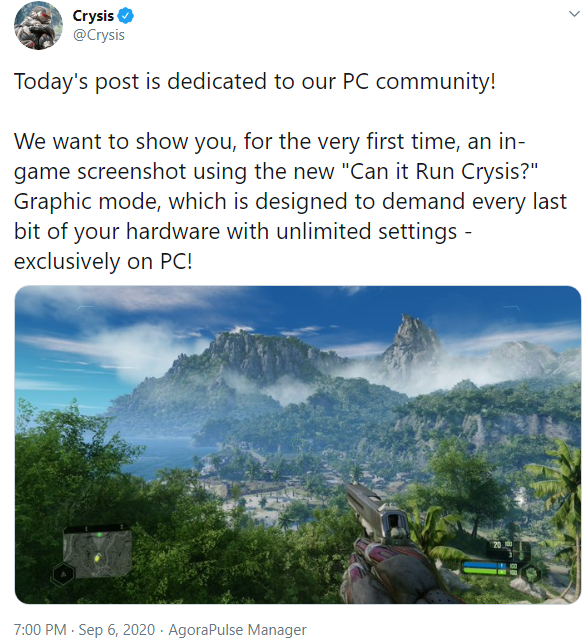
I got a GTX 2060 to RENDER the WEB at 60FPS
matrix07012
boosted
boosted

Control is finally on steam. Fuck you epic
Imagine asking for a guillotine emoji
https://www.carrozo.com/guillotine-emoji
matrix07012
boosted
boosted



The process of making this emoji
Chapter :aimaina:: The video
1. Get original video from youtube https://www.youtube.com/watch?v=8Z3TbMBfDM0
2. Import it into Kdenlive.
3. Cut out the animation part
4. Realize that background for that bit in the MV has two colors to it.
5. spend like 10 minutes trying to use two chroma key filters to cut it out + do some alpha operators
6. Realize that it looks like shit and affects inner transparency too
7. Export frames to see and compare them to find out how long animation loops (12 frames), cut the segment to 12 frames, so next step would be easier.
8. Spend ~40 minutes trying to rotoscope it instead.
9. Try to export it to png or gif or anything with alpha. Only yuva420p webm works, so that's what I'll be using instead.
Chapter :aimaina::aimaina:: The alpha
Now I need to convert webm into apng or gif. ffmpeg time. There are no real steps here, just me trying to figure out how to fucking make ffmpeg work. Doing it the easy way does give a gif or an apng but it completely lacks transparency, just gives black color, not to mention it originaly had some glitches too until i specified the colorspace. Turns out i have to set -vcodec libvpx, and do it BEFORE the input file, not after. Then transparency works as needed. Resulting APNG turned out to be 100KiB+.... that's at sub-64px image... Mastodon won't like that.
Chapter :aimaina::aimaina::aimaina:: fuck gargron in the ass allowed pleasure yourself
Ok so 100KiB won't cut it. We need to optimize this shit. First place I head to is ezgif dot com.
- Using "optimize gif" shaves off only like 20KiB.
- Using GIF works but gif's alpha is either 1 or 0 so jagged edges really stand out. Size is acceptable however.
- Using WebP gives ~30KiB, which would be adequate but guess what retard, retarded elephant only accepts PNG and GIF, not WebP, and not JPG.
I really don't want to go below 64px, and don't want to use GIF. I'd do typical dithering/bit reduction but...
- pngquant doesn't support apng and outputs 1st frame
- pngcrush doesn't support apng and outputs 1st frame
- imagemagic doesn't support apng and outputs 1st frame
- GIMP doesn't support apng and only shows 1st frame
Sure i could just split it to frames, quantize them individually and then combine them into apng again, but there's no guarantee that combiner won't just use 24bit mode again and undo all my compression work.
Time to get my hands even dirtier than ezgif. Most APNG-related tools are windows-only and freeware, sometimes closed-source. I wanted to avoid this and only use as last-ditch solution. SaaS comes first.
- aforementioned ezgif doesn't compress that much
- optimize png dot com: doesn't support apng and outputs 1st frame
> losing hope
- tiny png dot com: thinking that it won't let me download my gif without an account like i remember, i tried to use it anyway.
>wait, it's 24KiB and not 8???
>IT LETS ME DOWNLOAD THE RESULT???
>RESULT IS ANIMATED?????
???????
PROFIT!!!!!!!!!!!
Epilogue: Seriously, fuck mastodon with their idiotic emoji opinions.
>16x16 emoji
<barely recognizable, can barely see anything in there
>not allowing JPEG
<yeah mate let people use PNG for photo-based emoji that would take up 50KiB instead of 1KiB
>not allowing WebP
<yeah mate firefox supports it already, not to mention that you convert emoji on your side to pngs anyway
>same 50KiB limit for both animated and static emoji
<do you have brain damage?
Chapter :aimaina:: The video
1. Get original video from youtube https://www.youtube.com/watch?v=8Z3TbMBfDM0
2. Import it into Kdenlive.
3. Cut out the animation part
4. Realize that background for that bit in the MV has two colors to it.
5. spend like 10 minutes trying to use two chroma key filters to cut it out + do some alpha operators
6. Realize that it looks like shit and affects inner transparency too
7. Export frames to see and compare them to find out how long animation loops (12 frames), cut the segment to 12 frames, so next step would be easier.
8. Spend ~40 minutes trying to rotoscope it instead.
9. Try to export it to png or gif or anything with alpha. Only yuva420p webm works, so that's what I'll be using instead.
Chapter :aimaina::aimaina:: The alpha
Now I need to convert webm into apng or gif. ffmpeg time. There are no real steps here, just me trying to figure out how to fucking make ffmpeg work. Doing it the easy way does give a gif or an apng but it completely lacks transparency, just gives black color, not to mention it originaly had some glitches too until i specified the colorspace. Turns out i have to set -vcodec libvpx, and do it BEFORE the input file, not after. Then transparency works as needed. Resulting APNG turned out to be 100KiB+.... that's at sub-64px image... Mastodon won't like that.
Chapter :aimaina::aimaina::aimaina:: fuck gargron in the ass allowed pleasure yourself
Ok so 100KiB won't cut it. We need to optimize this shit. First place I head to is ezgif dot com.
- Using "optimize gif" shaves off only like 20KiB.
- Using GIF works but gif's alpha is either 1 or 0 so jagged edges really stand out. Size is acceptable however.
- Using WebP gives ~30KiB, which would be adequate but guess what retard, retarded elephant only accepts PNG and GIF, not WebP, and not JPG.
I really don't want to go below 64px, and don't want to use GIF. I'd do typical dithering/bit reduction but...
- pngquant doesn't support apng and outputs 1st frame
- pngcrush doesn't support apng and outputs 1st frame
- imagemagic doesn't support apng and outputs 1st frame
- GIMP doesn't support apng and only shows 1st frame
Sure i could just split it to frames, quantize them individually and then combine them into apng again, but there's no guarantee that combiner won't just use 24bit mode again and undo all my compression work.
Time to get my hands even dirtier than ezgif. Most APNG-related tools are windows-only and freeware, sometimes closed-source. I wanted to avoid this and only use as last-ditch solution. SaaS comes first.
- aforementioned ezgif doesn't compress that much
- optimize png dot com: doesn't support apng and outputs 1st frame
> losing hope
- tiny png dot com: thinking that it won't let me download my gif without an account like i remember, i tried to use it anyway.
>wait, it's 24KiB and not 8???
>IT LETS ME DOWNLOAD THE RESULT???
>RESULT IS ANIMATED?????
???????
PROFIT!!!!!!!!!!!
Epilogue:
Seriously, fuck mastodon with their idiotic emoji opinions.>16x16 emoji
<barely recognizable, can barely see anything in there
>not allowing JPEG
<yeah mate let people use PNG for photo-based emoji that would take up 50KiB instead of 1KiB
>not allowing WebP
<yeah mate firefox supports it already, not to mention that you convert emoji on your side to pngs anyway
>same 50KiB limit for both animated and static emoji
<do you have brain damage?
matrix07012
boosted
boosted
And what is the point of the truck? You get it extremely late by the time you already have the power exo skeleton and floating carriers which allow you to carry more cargo in both volume and weight while traversing tougher terrain. The truck can really only be used on mostly flat terrain and roads.
It's completely useless.
Since I started complaining about Death Stranding, let's continue.
The enemies are just nuance, not a threat. MULEs can be punched to unconsciousness right from the start just by mashing the melee button, which becomes easier with the bola gun and blood bags which help you survive even gun fire. You can just push through their gun fire once they get guns and punch them. It's just annoying so a gun makes it less of a nuances and since you shouldn't kill them, you are given a non lethal gun. Probably because the devs realized they are a nuance.
BTs are a threat only at the start. Once you get hematic grenades they become just nuance you easily get rid of.





- Twatter
- https://twitter.com/matrix07012
- Discord
- matrix07012
Admin
I'm the joke, but you're the punchline.
I run this website. I like posting funnies and fugging lolis.
Joined Oct 2018
