
So it seems that my old 2017 laptop doesn't support the lighting system required for my new horror game. WebGL stuff. I'm now stuck in between two options.
1) Keeping the lighting dynamic (and much easier to create) but raise the minimum required specs
2) Making all the lighting static (harder to do and weird looking if in motion) but keeping the game playable on potatoes
Anyone got some insight? I'm genuinely not sure which to go with.

@mischievoustomato I actually have no clue. It might not even be WebGL related at all that's just what I'm guessing. My laptop is running Intel integrated graphics on a 7300u so I'm assuming a dedicated gpu or a newer processor would fix it. Gonna test on my system with an 860m later.
@mischievoustomato almost 10 years lol. With Intel integrated graphics of all things, which didn't actually start getting good until recently.

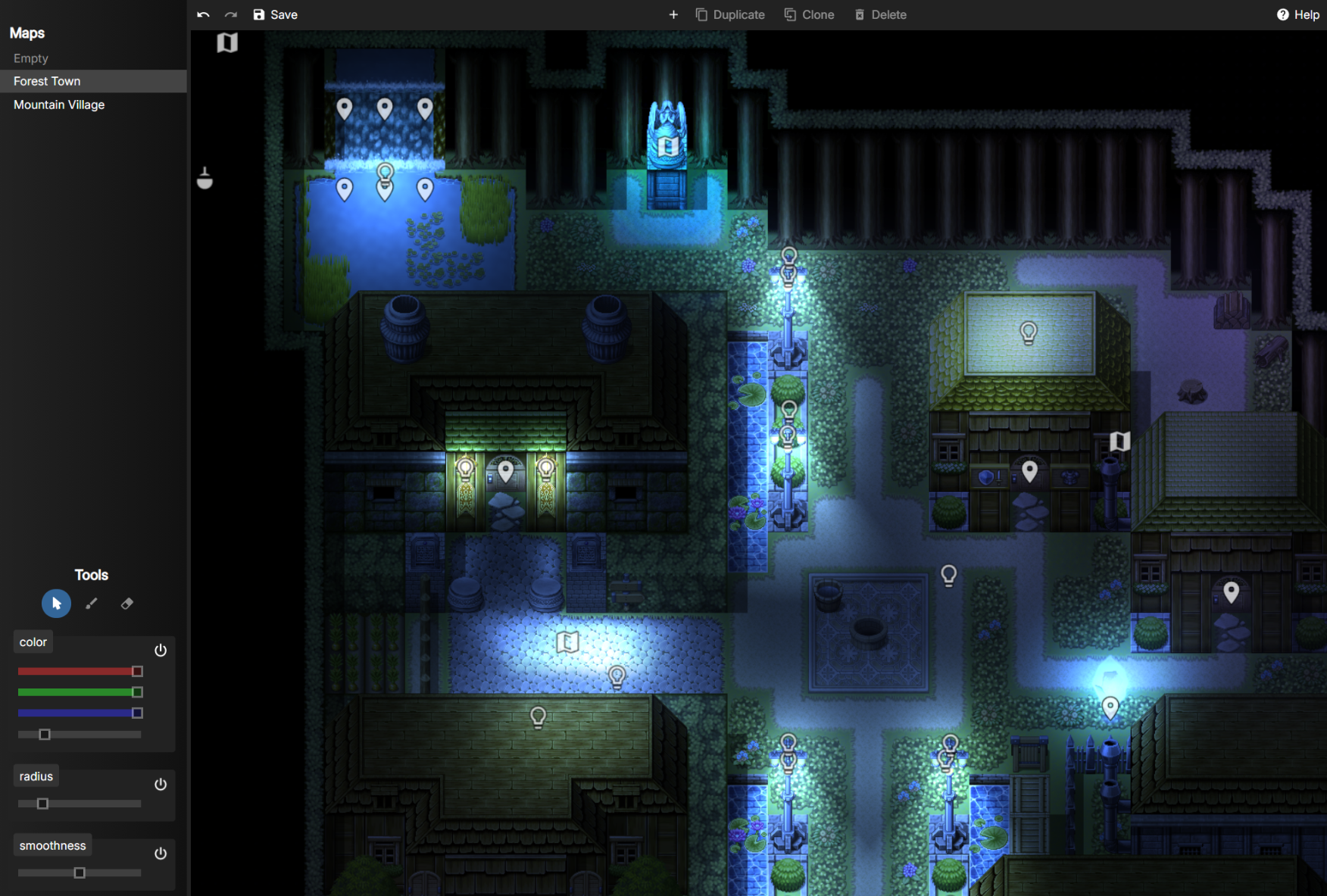
@tobias @mischievoustomato this is the editor for the lighting, don't wanna pull up my laptop right now to get a screenshot of what it looks like in there but imagine every light being inverted and at max brightness. i can only put down one light and if i put down any more, all of the light radiuses turn black and the area outside of them get bright.

And don't just assume that something that is supported on Intel drivers, will actually be supported (Even if changelogs say they do) on nvidia/amd drivers, plenty of legacy features on openGL<4.6 are broken and they don't bother to fix them, assuming they still have engineers that could, of course

maybe drop webgl, that could fix things...
@EdBoatConnoisseur can't, it's what the engine uses
or you could overlay a clone layer which is shaded. then overlay some tranparency halos to reveal the base layer.
@tobias @EdBoatConnoisseur yeah i could use individual static images instead, it would take a lot more work, look more accurate, but it wouldn't be dynamic.
how are you doing the lighting tho? volumetric or raycasting?
cuz ya could do something "stupid", where you got volumes of afflicted light (volumetric) with a function that doesn't calculate anything, only consults a pre-calculated table of values with brightness and tint (for the light source color) for a range of radiuses from the center of the light source, it would just require creating a couple of primitives (cilinder, cone, sphere), crunch some values that work okay enough for each range of radiuses from the figures, then make every light source into one of the 3 volumetric primitives.
dunno what to do in order to avoid banding other than perhaps add a "fuzzyness factor" at the start of every brightness range where, say for the first 0.100 vector units of a radius range the final brightness value is multiplied by a random value capped between 0 brightness to the max brightness of the range, such multiplier random number doesn't even need to be a true random number and could just be taken from an array doom style where you just got everything that requires a random number getting it from the same array, that approach should (at least in my mind) make the edges of the brightness ranges look fuzzy or at least dithered enough to fake a gradient.
@EdBoatConnoisseur @tobias i have no idea man i'm not smart enough for that, i'm just using the plugin xD there is a reason i use rpg maker instead of anything else lmao 
ah, i thought that if ya were doing webgl and dynamic lighting then ya were into some more advanced shit, tho what i wrote ya can think as i pulled it outta my ass as i've never done game dev nor worked anything in 3d space, most of the shit i crudely cobble together into barely programs are crudely cobbled for a reason, i suck at coding, which is why i fell for the electronics engineering meme and almost 10 years later i'm basically an unemployed bum worriying that if i apply to work at mcdonalds i may not even land a job at the closest one i can walk to...
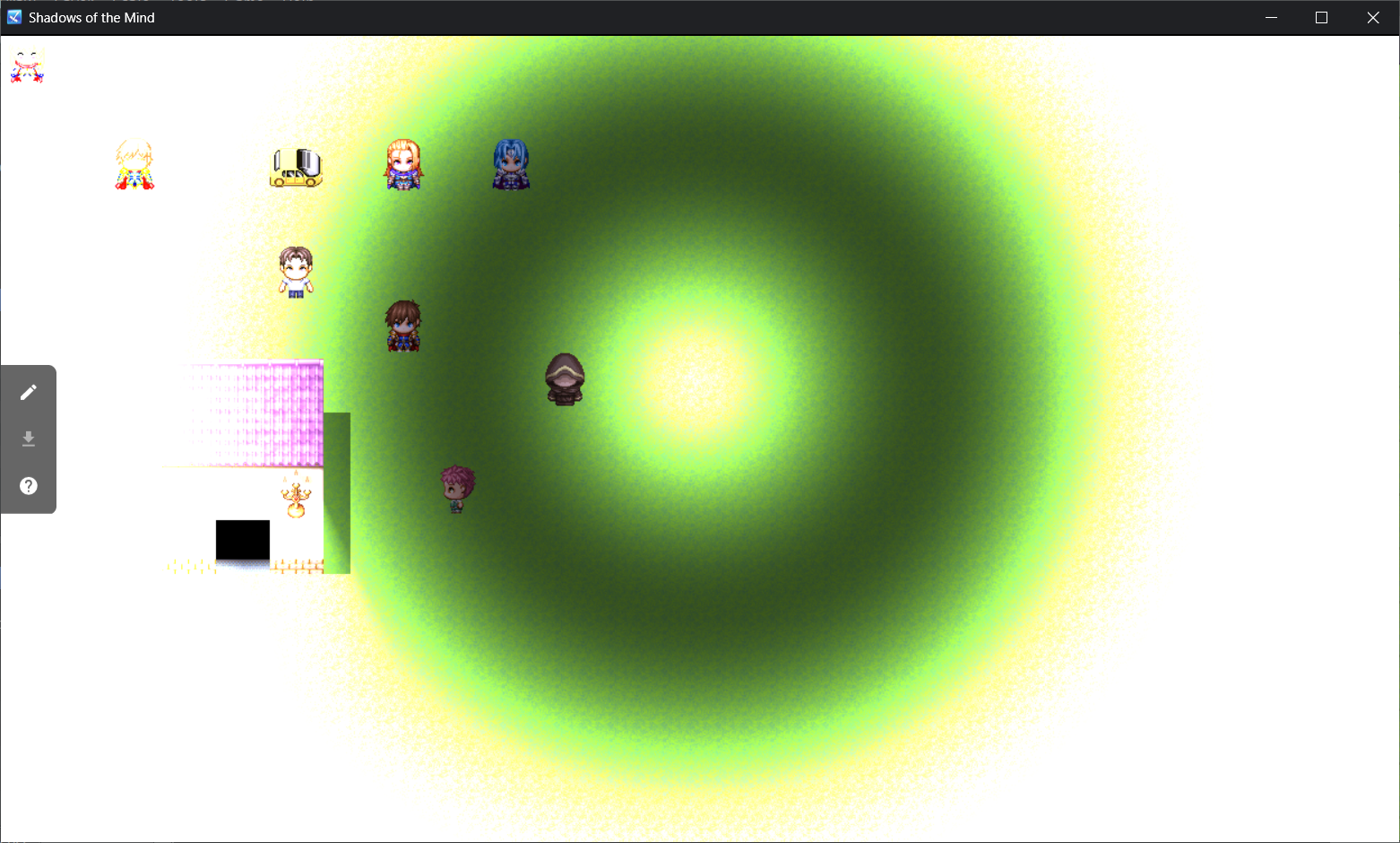
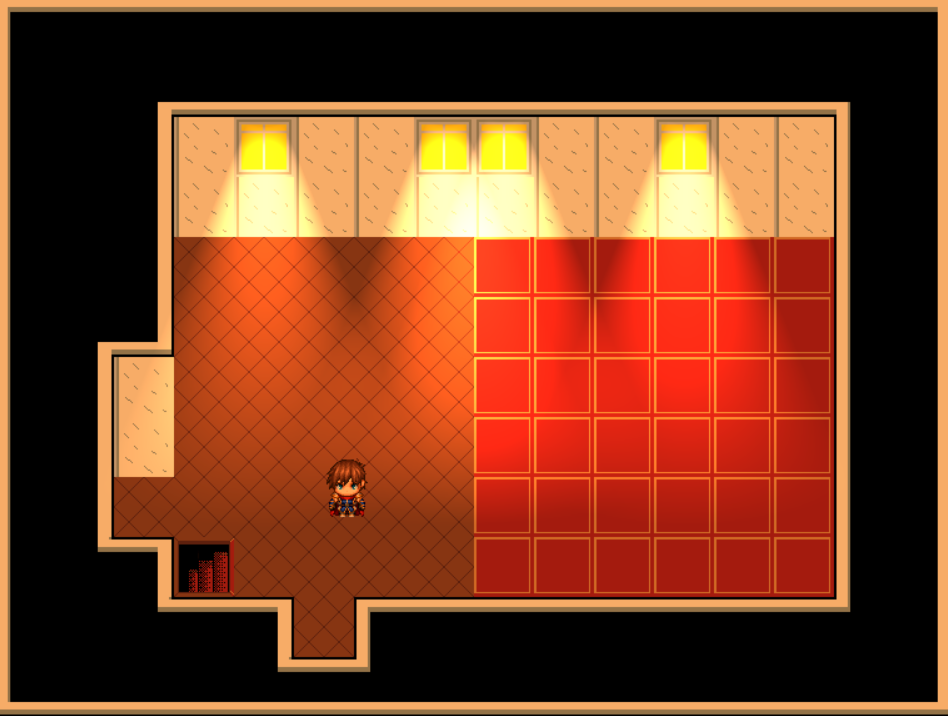
@EdBoatConnoisseur @tobias so upon further inspection, it looks like the spot lights work just fine but the point lights don't. this is still on my laptop, it works as intended on my desktop. it's gotta be some sort of driver limitation or whatever.
first photo is point light, second is spot light.
i just remembered javidx9. he did a 4-part video. create RPG.
https://www.youtube.com/watch?v=xXXt3htgDok
@tobias @EdBoatConnoisseur yeah that's way out of my depth lol
@beardalaxy @EdBoatConnoisseur but the approach and the methods. that's the thing.
