
xianc78 @xianc78@gameliberty.club
- Sex
- Male
- Primary OS
- Linux Mint
- Programming Languages
- C/++/#, Python, Java, JavaScript, PHP, SQL, Assembly
- Ioncom Official Site
- http://ioncom.helioho.st/
Joined Jun 2020


xianc78
boosted



Want captchas for Pleroma that may be harder to crack?
Pleroma uses a C captcha generator from huacnlee/rucaptcha on GitHub, but it’s an older version, and it has been updated to generate much stronger captchas now.
The problem is that it’s now written in Rust, so I don’t think Pleroma devs will even think about accepting this upstream unless someone rewrites it in C/C++, but I did it anyway.
I modified the Rust code to be a cli and output the same thing the old C stuff did (https://github.com/animeavi/rucaptcha), so it’s a drop-in replacement. If you want you can even compile this on your own PC and replace the binary in /opt/pleroma/deps/captcha/priv and be done with it.
If you want to do it a more “proper” way, keep reading.
You need to install Rust+Cargo first of course.
Replace the existing :captcha in mix.exs for Pleroma with those values.
{:captcha, git: "https://github.com/animeavi/elixir-captcha.git", ref: "d280d06ae7ba7757a772567b9e608dba3a0c0ae2"},
Then run mix deps.get and mix compile, all that good stuff, it will take a while because Rust lol, but you can keep the instance running while it compiles, and it should just work.
First two pics are current Pleroma captchas, last two are the new ones.
xianc78
boosted
the so-called libertarians on here who incessantly simp for international war can eat shit 😄✌🏻
xianc78
boosted

The real reason forums died is they're run by boomer buzzkills or paywall whores while large websites that were for a while beyond the scope or focus of lawfare boomers would host it.
xianc78
boosted

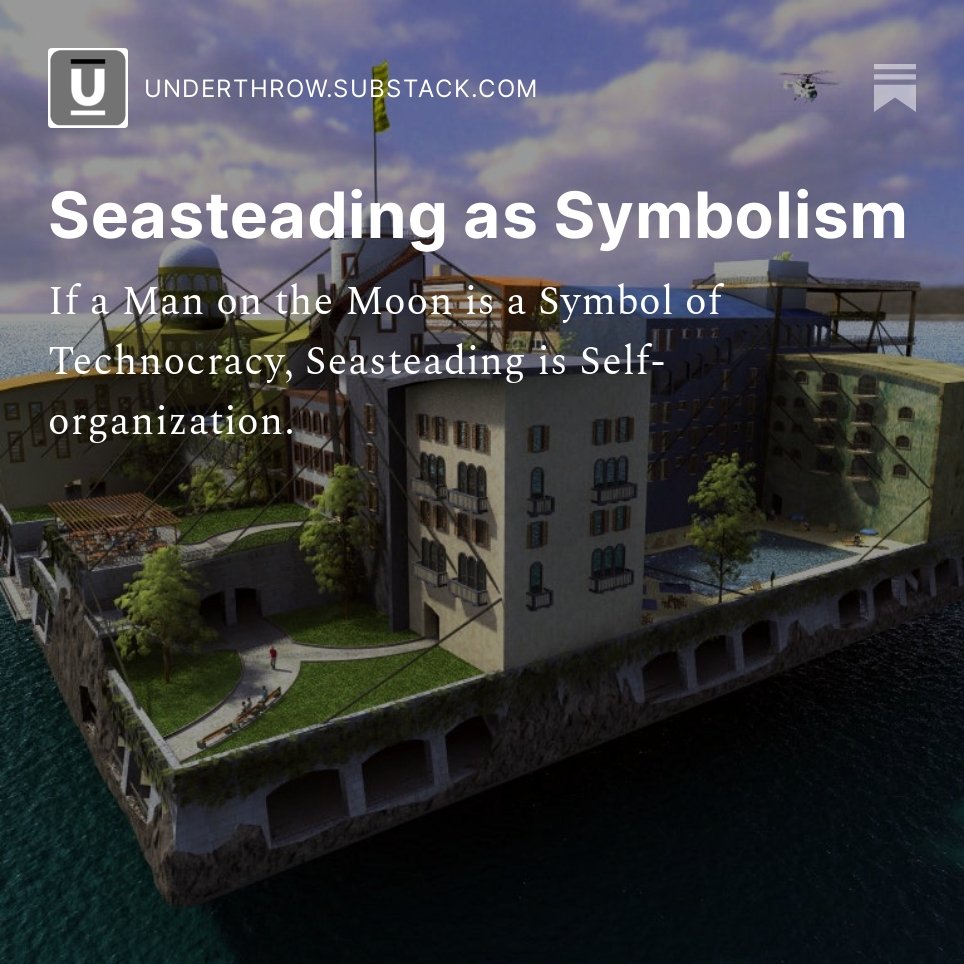
If putting a man on the moon had been a symbol of technocracy, @seasteading is a symbol of self-organization. http://tiny.cc/seasteading-symbolism

xianc78
boosted

Seasteading is a decentralist's dream, expressed by Max Borders in his article, "Seasteading as Symbolism." Read it here: https://buff.ly/3OHAxvm
xianc78
boosted

Pleroma / Akkoma / Rebased need to be patched, but here’s how you can secure your site without any code changes:
yoursite.com/media -> media.yoursite.com
yoursite.com/proxy -> proxy.yoursite.com
To do this, add the following configuration to your site:
config :pleroma, Pleroma.Upload, base_url: "https://media.yoursite.com" config :pleroma, :media_proxy, base_url: "https://proxy.yoursite.com"
You will need to add DNS records for the subdomains. For media, it’s recommended to use an S3 bucket (or equivalent). For the proxy, you can simply point the DNS to the same server, and edit your Nginx file. A sample Nginx file is here: https://termbin.com/tj7q You’re on your own setting up letsencrypt, etc.
Here’s what does NOT work:
A CSP one-liner in Nginx. That’s not how CSP works. CSP affects the page it was loaded on, not other resources. This is straight up misinformation.
Disabling the media proxy on its own. The media proxy does appear to be vulnerable, but it cannot be the only action you take.
EDIT: Also, after you do this make sure to specifically block /proxy from your main site by adding location /proxy { return 404; }
xianc78
boosted

Knowing the Pleroma exploit out now, what software stack should I use for a new fedi instance when I launch the multi user instance?
100% serious btw
100% serious btw
















xianc78
boosted
Don’t confuse my disdain for Trump with support for DeSantis.
He will inevitably disappoint you, as all politicians do…

- Sex
- Male
- Primary OS
- Linux Mint
- Programming Languages
- C/++/#, Python, Java, JavaScript, PHP, SQL, Assembly
- Ioncom Official Site
- http://ioncom.helioho.st/
Joined Jun 2020
